
Download ID Photo Filter – Free Lifestyle App, Camera Filters, Selfie Editor, TikTok Photo Tools
Overview
ID Photo Filter for TikTok is a free lifestyle application designed for Android users seeking creative and playful photo and video editing tools. Developed by PicaStudio, the app focuses on transforming ordinary selfies into engaging, shareable content through an array of fun filters and effects. It caters primarily to casual users, social media enthusiasts, and young audiences who enjoy experimenting with visual enhancements for personal expression.
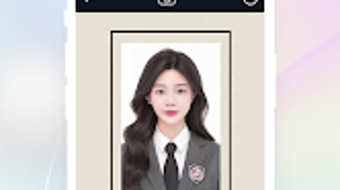
The app’s core functionality revolves around applying whimsical face effects such as doggy face, cat face, heart camera, and rainbow camera, allowing users to add a lighthearted twist to their images. It also includes a dedicated ID Photo for man feature, enabling users to insert a face into photos for humorous or creative purposes. The application supports quick editing with tools for color adjustment, background blur, and sticker integration.
While it is marketed as a tool for TikTok content creation, the app is not affiliated with TikTok Inc. and operates as a third-party utility. Real-world usage scenarios include creating fun profile pictures, enhancing social media posts, and producing entertaining short videos for platforms like Instagram, Snapchat, and Facebook.
Key Features & Capabilities
- Multiple Face Filters: Apply playful effects such as doggy face, cat face, heart camera, and rainbow camera to transform facial features in real time.
- Sticker Library: Access a variety of fun stickers including Heart Crown, Filters Crown, Cute Rabbit, Doggy Face, and Glitch effect to personalize photos.
- ID Photo for Man Feature: Insert a face into photos using a dedicated tool designed for humorous or creative image manipulation.
- Color & Effect Adjustments: Modify brightness, contrast, saturation, and apply visual effects to enhance image quality.
- Background Blur Tool: Soften or blur backgrounds in photos and videos to emphasize the subject and improve visual focus.
- Photo Collage Maker: Combine multiple images into a single, shareable collage without requiring advanced editing skills.
- Real-Time Preview: View edits instantly as they are applied, ensuring immediate feedback during the editing process.
These features are ideal for users who want to quickly enhance selfies or create entertaining content for social media. The combination of filters, stickers, and editing tools allows for high customization without the need for professional software. The ID Photo for man feature adds a unique twist, enabling users to generate creative images for memes or fun profiles. The background blur function supports both photos and videos, making it useful for content creators who prioritize visual clarity. Overall, the app streamlines the editing workflow for casual users, reducing the time and complexity typically associated with image enhancement.
User Interface, Workflow & Performance
The user interface of ID Photo Filter for TikTok is designed with simplicity and visual appeal in mind, featuring a clean layout with easy-to-access toolbars and intuitive icons. Navigation is straightforward, allowing users to switch between filters, stickers, and editing functions with minimal effort. The workflow follows a logical sequence: capture or import an image, apply filters or stickers, adjust settings, and export the final result.
The app supports real-time preview, enabling users to see changes as they are made. However, exact performance details were not specified by the developer. The app’s behavior regarding CPU and RAM usage remains unknown, and no information was provided about stability during extended use or under heavy load.
General software behavior patterns suggest that lightweight applications like this typically run smoothly on modern Android devices. The developer did not provide additional system requirements or performance benchmarks. Users may experience varying performance depending on device hardware and operating system version.
Compatibility & System Requirements
Based on the available information, ID Photo Filter for TikTok is designed to run on Android devices. The specific version of Android required was not provided. Installation size is not disclosed, nor were any hardware requirements listed.
The developer did not specify whether the app supports tablets or only smartphones. Compatibility with different screen sizes and resolutions was not mentioned. The developer did not specify resource usage details.
Users should ensure their device meets general Android app standards for installation and operation. Exact system requirements were not listed, and compatibility information was partially provided. It is recommended to check the app’s listing on the Google Play Store for updated compatibility details.
Pros and Cons
Pros
- Free to download and use with no hidden costs.
- Offers a wide variety of fun and unique filters and stickers.
- Includes a distinctive ID Photo for man feature for creative image manipulation.
- Intuitive interface suitable for casual users and beginners.
- Supports real-time editing and instant preview of changes.
- Features background blur and photo collage tools for enhanced content creation.
- Compatible with major social media platforms for easy sharing.
Cons
- No information provided on system requirements or performance efficiency.
- App is not affiliated with TikTok Inc., which may affect user trust.
- Limited availability to Android only, with no support for iOS or desktop platforms.
- Developer did not disclose details about privacy policies or data handling.
- May include in-app advertisements or optional purchases not mentioned in the description.
- Performance may vary across different Android devices without clear guidance.
FAQ Section
Is ID Photo Filter for TikTok available for iOS devices?
The app is currently available only for Android devices. There is no official version for iOS platforms.
Does the app require an internet connection to function?
The app can operate offline for most editing functions, including applying filters, stickers, and adjusting images. However, some features like cloud-based stickers or updates may require internet access.
Is the app safe to download and use?
As a third-party app, ID Photo Filter for TikTok is not endorsed by TikTok Inc. Users should download it from official sources such as the Google Play Store to minimize security risks.
How often are updates released?
Update frequency was not specified by the developer. Users are advised to check the app store regularly for new versions and improvements.
Can I use the app without creating an account?
Yes, the app does not require registration or account creation. All features are accessible immediately upon installation.
Final Thoughts + CTA
ID Photo Filter for TikTok stands out as a fun, accessible tool for Android users who enjoy playful photo editing and social media content creation. With its diverse range of filters, stickers, and editing features, it delivers a satisfying experience for casual users seeking quick and creative enhancements. The inclusion of a unique ID Photo for man feature adds a distinctive element not commonly found in similar apps.
While the lack of detailed system requirements and performance data limits deeper evaluation, the app’s simplicity and ease of use make it a strong choice for beginners. It is particularly well-suited for younger audiences and social media content creators who value speed and visual fun. Despite its third-party status and limited platform availability, the app remains a compelling option for those looking to transform everyday photos into entertaining, shareable moments.
Download ID Photo Filter now and start creating your next viral post with fun effects and playful edits.





.png)

